


A free-tier user runs a for loop against my pricing endpoint. The endpoint hits PostgreSQL on every call, fans out to Stripe for plan metadata, and warms a HybridCache entry that other tenants depend on. Within thirty seconds, the database is at 90 percent CPU and the rest of the customers are getting timeouts. The fix is not a bigger box or a smarter cache - it is a rate limiter sitting in front of the endpoint that drops the abusive caller to 429 before any of the expensive work runs. That is what this article is about, in .NET 10, end to end.
Rate limiting in ASP.NET Core .NET 10 is built into the framework via Microsoft.AspNetCore.RateLimiting. I register a limiter with AddRateLimiter(...), wire it up with UseRateLimiter(), and attach a named policy to endpoints with RequireRateLimiting("policy") or the [EnableRateLimiting("policy")] attribute. The framework ships four algorithms - Fixed Window, Sliding Window, Token Bucket, and Concurrency - and a PartitionedRateLimiter<HttpContext, TKey> for per-user, per-IP, or per-API-key buckets. No third-party NuGet required for the single-instance case; a Redis backplane is needed only when the app runs on more than one node.
In this article I will walk through every algorithm with runnable code, lay out a decision matrix tied to API shape (public REST, internal RPC, file upload, AI inference, webhook receiver), build a production-grade OnRejected callback that returns RFC 9457 ProblemDetails with the right Retry-After header, and fix the single most expensive trap I see in production rate limiters - the in-memory limiter sitting behind a load balancer. Let’s get into it.
TL;DR. For ASP.NET Core .NET 10, register rate limiting with
builder.Services.AddRateLimiter(options => { ... })and callapp.UseRateLimiter()afterUseRouting()if you use endpoint-level policies. Setoptions.RejectionStatusCode = StatusCodes.Status429TooManyRequests- the default is 503 which is wrong. Use Token Bucket as the default for public APIs, Sliding Window when you need precise rolling enforcement, Fixed Window for cheap per-minute caps, and Concurrency Limiter to cap in-flight work on expensive endpoints. Partition by user, IP, or API key withPartitionedRateLimiter.Create<HttpContext, string>(...). The built-in middleware is in-memory and per-instance, so behind a load balancer the effective limit isconfigured limit x instance count. For multi-node enforcement, use a Redis backplane viaRedisRateLimiting.AspNetCore(1.2.0). Always setRetry-AfterfromMetadataName.RetryAfterin yourOnRejectedcallback - it is the contract well-behaved clients depend on.
API Key Authentication in ASP.NET Core
The multi-tenant tier pattern in this article assumes API key authentication. If you have not wired up API keys yet, this guide covers hashed keys, prefix conventions, and HybridCache validation.
Pick your level. This is the canonical rate limiting reference for .NET 10. You do not have to read it top to bottom:
- New to rate limiting? Start with What Is Rate Limiting and the Algorithm Decision Matrix, then run the Setup section.
- Already have it wired up? Jump to Production OnRejected, Partitioning, and the In-Memory Trap.
- Running multi-node? Go straight to the Redis Backplane section and the Anti-Patterns.
What Is Rate Limiting in ASP.NET Core?
Rate limiting in ASP.NET Core is a built-in middleware that caps how many requests a caller can make in a given time window, returning HTTP 429 Too Many Requests once the cap is exceeded. It is shipped in the Microsoft.AspNetCore.RateLimiting namespace and lives in the framework itself - no third-party NuGet package is required for single-instance deployments.
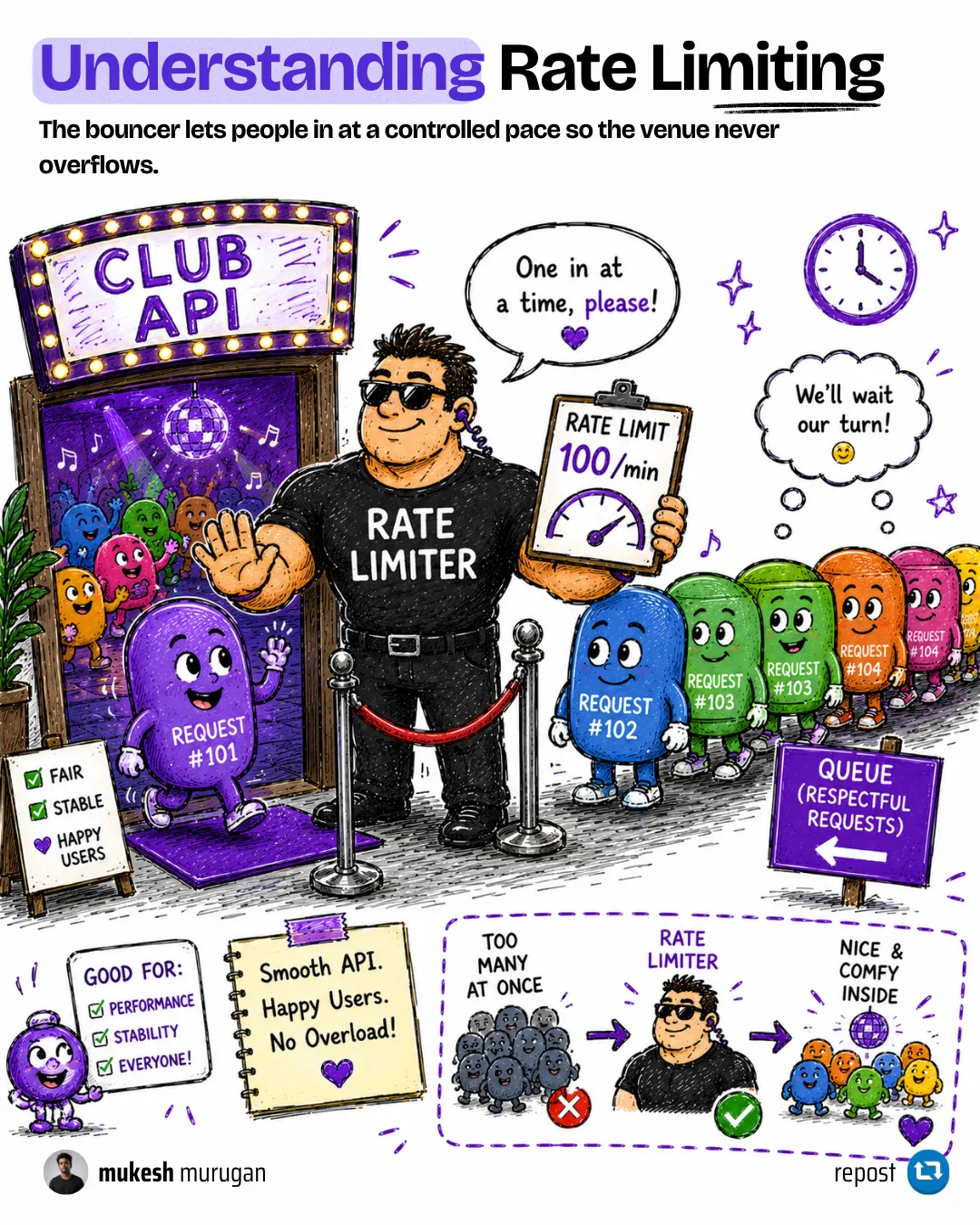
The middleware exists for six reasons that show up in every production system I have worked on:
- Abuse prevention: cap noisy clients before they exhaust the database connection pool.
- Fair usage: stop one tenant from starving the rest.
- Resource protection: keep the backend within its sustainable throughput.
- DoS mitigation: limit the rate at which a single source can apply load. This is not a DDoS solution - that requires a WAF or upstream service like Cloudflare or AWS Shield.
- Performance smoothing: protect tail latency by capping concurrency on expensive endpoints.
- Cost control: cap requests on endpoints that proxy to paid third-party APIs (OpenAI, Stripe, SendGrid).
Rate limiting was added to ASP.NET Core in .NET 7. The API has been stable since, with incremental refinements through .NET 8, 9, and 10. The .NET 10 release (reference docs here) tightens metric coverage and clarifies the partitioning model used for multi-tenant scenarios.
HTTP Status Codes for API Responses
429 is one of the most misunderstood status codes. This article covers the full semantics of 4xx and 5xx codes - and why a rate limiter must never default to 503.
Which Rate Limiting Algorithm Should I Use?
This is the question every team I have helped wires up wrong on the first try. The framework ships four algorithms; only one is the right default. Use this decision matrix before writing a single line of limiter config.
| API shape | Recommended limiter | Why |
|---|---|---|
| Public REST API (open or API-key) | Token Bucket | Tolerates short bursts, enforces a long-term average. Matches how real client libraries retry. |
| Internal RPC between services | Fixed Window | Cheapest, predictable, boundary bursts are acceptable inside a trusted network. |
| AI inference / LLM endpoint | Concurrency Limiter | The bottleneck is in-flight GPU calls, not request count per minute. Cap concurrency, not throughput. |
| File upload / image processing | Concurrency Limiter | Same reason - the cost is in-flight memory, not request frequency. |
| Login / OTP / password reset | Sliding Window | Precise rolling-window enforcement matters for security-sensitive paths. Boundary bursts must not be allowed. |
| Webhook receiver | Fixed Window with a large window | Webhooks fan in - the producer already has its own retry logic. A simple per-minute cap is enough. |
| Multi-tenant SaaS with paid tiers | Token Bucket, partitioned by API key | Bursts feel natural to paying users; tier-specific limits map directly to bucket capacity. |
My take: if you are not sure, pick Token Bucket. It is what AWS API Gateway, Stripe, and GitHub’s public APIs use as the default - and for good reason. Fixed Window is tempting because it is simple, but the boundary-burst behavior (a client makes the full limit at second 59 of one window, then the full limit at second 0 of the next - effectively 2x the limit in 1.001 seconds) bites every team that ships it for a public endpoint.
Setup: AddRateLimiter and UseRateLimiter
Every rate-limited ASP.NET Core app follows the same three-step setup. I will use this in every example below.
1. Register the limiter
using System.Threading.RateLimiting;using Microsoft.AspNetCore.RateLimiting;
var builder = WebApplication.CreateBuilder(args);
builder.Services.AddRateLimiter(options =>{    options.RejectionStatusCode = StatusCodes.Status429TooManyRequests;
    options.AddTokenBucketLimiter("public-api", opt =>    {        opt.TokenLimit = 100;        opt.TokensPerPeriod = 100;        opt.ReplenishmentPeriod = TimeSpan.FromMinutes(1);        opt.AutoReplenishment = true;        opt.QueueLimit = 0;        opt.QueueProcessingOrder = QueueProcessingOrder.OldestFirst;    });});
The RejectionStatusCode = 429 line is the most important line in this entire article. The framework defaults rejected requests to 503 Service Unavailable. That is wrong - 503 is reserved for server-side outages, not client-side rate limiting. Every well-behaved HTTP client treats 503 as “retry with backoff regardless” and 429 as “I should slow down and use the Retry-After header.” Always override.
2. Add the middleware
var app = builder.Build();
app.UseRouting();app.UseRateLimiter();
app.MapControllers();
app.Run();
UseRateLimiter must be called after UseRouting if you use named policies on endpoints (with RequireRateLimiting, [EnableRateLimiting], or [DisableRateLimiting]). It can be called before UseRouting if you only use a global limiter. When in doubt, put it after UseRouting and before UseAuthentication. The order I recommend for a typical web API is:
app.UseRouting();app.UseRateLimiter(); // 429 before doing auth workapp.UseAuthentication();app.UseAuthorization();app.MapControllers();Reject early, before the auth pipeline does its CPU-heavy work. Cheap rejections are good rejections.
3. Attach the policy
app.MapGet("/api/pricing", () => Results.Ok(new { tier = "pro", price = 49 })) .RequireRateLimiting("public-api");Or, for MVC controllers:
[ApiController][Route("api/[controller]")][EnableRateLimiting("public-api")]public sealed class PricingController : ControllerBase{ [HttpGet] public IActionResult Get() => Ok(new { tier = "pro", price = 49 });}That is everything for the basic case. Now let’s go deep on each algorithm.
Fixed Window Limiter
The simplest limiter. A fixed window of N seconds; up to PermitLimit requests inside it. When the window expires, the counter resets and a new window starts.
builder.Services.AddRateLimiter(options =>{ options.AddFixedWindowLimiter("internal-rpc", opt => { opt.PermitLimit = 1000; opt.Window = TimeSpan.FromSeconds(60); opt.QueueLimit = 0; opt.QueueProcessingOrder = QueueProcessingOrder.OldestFirst; });});When to use Fixed Window:
- Internal service-to-service RPC where the network is trusted.
- Webhook receivers where the source has its own backoff logic.
- Endpoints where boundary-burst behavior does not matter operationally.
When not to use Fixed Window:
- Public APIs. A client can issue
PermitLimitrequests at second 59 and anotherPermitLimitrequests at second 0 of the next window. The effective short-term rate is double the configured rate. Real attackers exploit this.
The QueueLimit and QueueProcessingOrder options decide what happens to overflowing requests. Set QueueLimit = 0 and overflowing requests are rejected immediately with 429. Set it to a positive number and overflowing requests are held for up to the queue length before being serviced or rejected. For most public APIs, QueueLimit = 0 is the right answer - queuing delays add tail latency for the legitimate callers.
Sliding Window Limiter
The sliding window addresses the boundary-burst problem of fixed window. The same window length is divided into SegmentsPerWindow segments; the window slides one segment at each segment interval. As old segments expire, their consumed permits are added back to the pool.
builder.Services.AddRateLimiter(options =>{ options.AddSlidingWindowLimiter("auth-endpoints", opt => { opt.PermitLimit = 10; opt.Window = TimeSpan.FromMinutes(1); opt.SegmentsPerWindow = 6; // 10-second segments opt.QueueLimit = 0; opt.QueueProcessingOrder = QueueProcessingOrder.OldestFirst; });});With six segments per window of one minute, the limiter rebalances every 10 seconds rather than dropping the count to zero at the boundary. The smaller the segment, the closer the enforcement is to a true continuous sliding window, and the higher the per-request state cost.
When to use Sliding Window:
- Login and OTP endpoints. The cost of letting an attacker double-rate at the boundary is a brute-force window.
- Password reset and account creation. Security-sensitive endpoints where precise rolling-window enforcement matters.
- Any endpoint where the metric of correctness is “no more than N requests in any 60-second window,” not just “no more than N requests per fixed-minute bucket.”
When not to use Sliding Window:
- High-throughput public APIs where the framework’s per-segment bookkeeping is unnecessary overhead. Token Bucket is cleaner for that shape.
Token Bucket Limiter
The general-purpose default. A bucket holds up to TokenLimit tokens; each request consumes one token; tokens are replenished at a steady rate. The shape models human behavior well - light steady use most of the time, occasional bursts.
builder.Services.AddRateLimiter(options =>{ options.AddTokenBucketLimiter("public-api", opt => { opt.TokenLimit = 100; opt.TokensPerPeriod = 100; opt.ReplenishmentPeriod = TimeSpan.FromMinutes(1); opt.AutoReplenishment = true; opt.QueueLimit = 0; opt.QueueProcessingOrder = QueueProcessingOrder.OldestFirst; });});Three knobs decide the shape:
TokenLimit- the bucket capacity. This is the maximum burst size a client can use after a quiet period.TokensPerPeriod- how many tokens are refilled each period.ReplenishmentPeriod- how often the refill happens.
Setting TokenLimit = TokensPerPeriod gives a smooth, rate-shaped limiter. Setting TokenLimit > TokensPerPeriod lets quiet clients burst when they wake up - useful for batch sync workloads that legitimately need to catch up.
When AutoReplenishment is true (the default and the right choice for almost every web API), an internal timer refills tokens every ReplenishmentPeriod. Setting it to false requires manual replenishment via TryReplenish() on the limiter instance - useful only for custom scheduling logic that is rare in HTTP servers.
When to use Token Bucket:
- Any public REST API. This is the default I recommend.
- Multi-tenant SaaS APIs with tiered limits - bucket capacity maps cleanly to plan tiers (free 60 tokens/min, pro 600 tokens/min, enterprise 6000 tokens/min).
- AI / inference proxies where occasional bursts are expected but a long-term cap matters.
Concurrency Limiter
The only limiter that does not cap requests over time. Instead, it caps the number of concurrent in-flight requests. When a request enters the limiter, the count goes up by one; when it completes, the count goes down by one. New requests beyond the limit are queued or rejected.
builder.Services.AddRateLimiter(options =>{    options.AddConcurrencyLimiter("file-upload", opt =>    {        opt.PermitLimit = 8;       // max 8 simultaneous uploads        opt.QueueLimit = 16;       // queue up to 16, reject beyond that        opt.QueueProcessingOrder = QueueProcessingOrder.OldestFirst;    });});
app.MapPost("/api/upload", async (HttpRequest request) =>{    // ... save file, run virus scan, generate thumbnail    return Results.Ok();}).RequireRateLimiting("file-upload").DisableRequestSizeLimit();
When to use Concurrency Limiter:
- File uploads. The cost is in-flight memory and disk I/O, not requests per minute. Eight 50 MB uploads at once is a different problem from eight uploads in five minutes.
- AI inference / LLM endpoints. The bottleneck is GPU memory or third-party API quota in-flight, not throughput over time.
- Long-running report generation or PDF rendering.
- Any endpoint where total throughput is not the right metric.
When not to use Concurrency Limiter:
- General API protection. Caps in-flight only - a malicious client making millions of cheap requests will pass through if they complete fast enough.
Algorithm Cost Characteristics
A frequent question: which limiter is “fastest”? The honest answer is that all four are designed to be O(1) per request and the per-request cost is negligible compared to even a single database round-trip on the same endpoint. What changes between them is the per-limiter state cost and the timer behavior:
| Algorithm | Per-request work | Background timer | State per partition |
|---|---|---|---|
| Fixed Window | Atomic counter increment + window-expiry check | One per limiter | Single counter |
| Sliding Window | Increment + segment-array bookkeeping | One per limiter | SegmentsPerWindow counters |
| Token Bucket | Take-token + replenish check | One per limiter | Token count + last-refill timestamp |
| Concurrency | Take semaphore slot | None | Semaphore state |
The takeaway is not “pick the fastest.” It is: every algorithm is cheap enough that the limit on production throughput is the partition count, not the algorithm choice. If you partition by user and you have a million users, you have a million limiter instances in memory. The memory footprint of those instances is what scales, not the per-request work.
For a partitioned token-bucket limiter, the per-instance memory is on the order of tens of bytes. A million active partitions takes single-digit megabytes of memory - cheap. Ten million partitions starts to matter on memory-constrained pods. Eviction and partition cleanup is the framework’s responsibility; the limiter releases partitions that have been idle past their stale-timeout.
Applying Rate Limiting to Endpoints
Three idioms to apply a registered policy. Pick the one that matches your endpoint style.
Minimal API: RequireRateLimiting
app.MapGet("/api/pricing", () => Results.Ok())   .RequireRateLimiting("public-api");
// Apply to a whole group:var apiGroup = app.MapGroup("/api/v1").RequireRateLimiting("public-api");apiGroup.MapGet("/users", GetUsers);apiGroup.MapGet("/orders", GetOrders);
Controllers: [EnableRateLimiting]
[ApiController][Route("api/[controller]")][EnableRateLimiting("public-api")]public sealed class UsersController : ControllerBase{    [HttpGet]    public IActionResult Get() => Ok();
    [HttpGet("admin")]    [EnableRateLimiting("admin-strict")]    // override per action    public IActionResult Admin() => Ok();
    [HttpGet("health")]    [DisableRateLimiting]                   // opt-out for health checks    public IActionResult Health() => Ok();}
[DisableRateLimiting] wins against any global limiter, any [EnableRateLimiting] on the controller, and any RequireRateLimiting on the route. Use it for /health, /metrics, and the OpenAPI document endpoints - the things your monitoring system polls hard.
Global limiter
builder.Services.AddRateLimiter(options =>{ options.GlobalLimiter = PartitionedRateLimiter.Create<HttpContext, string>( httpContext => RateLimitPartition.GetTokenBucketLimiter( partitionKey: httpContext.Connection.RemoteIpAddress?.ToString() ?? "anonymous", factory: _ => new TokenBucketRateLimiterOptions { TokenLimit = 200, TokensPerPeriod = 200, ReplenishmentPeriod = TimeSpan.FromMinutes(1), AutoReplenishment = true, QueueLimit = 0 }));});A global limiter runs on every endpoint automatically. Use it as a backstop - a coarse per-IP cap on top of finer-grained named policies. The chained limiter pattern below shows how to combine global + named.
Production-Grade OnRejected with ProblemDetails and Retry-After
The default rejection response in ASP.NET Core’s rate limiter is a bare HTTP status code with no body and no Retry-After header. That is not enough for a production API. Real clients - mobile apps, partner integrations, SDKs - expect three things on a 429:
- A
Retry-Afterheader so they know when to retry. - A structured error body (RFC 9457 ProblemDetails) so the error can be logged and surfaced to a user.
- Correlation in server logs so operators can identify which client was throttled.
Here is the OnRejected callback I use in production:
using System.Globalization;using System.Threading.RateLimiting;using Microsoft.AspNetCore.Mvc;using Microsoft.AspNetCore.RateLimiting;
builder.Services.AddRateLimiter(options =>{    options.RejectionStatusCode = StatusCodes.Status429TooManyRequests;
    options.OnRejected = async (context, cancellationToken) =>    {        var httpContext = context.HttpContext;        var logger = httpContext.RequestServices            .GetRequiredService<ILoggerFactory>()            .CreateLogger("RateLimiting");
        if (context.Lease.TryGetMetadata(MetadataName.RetryAfter, out var retryAfter))        {            httpContext.Response.Headers.RetryAfter =                ((int)retryAfter.TotalSeconds).ToString(NumberFormatInfo.InvariantInfo);        }
        var problem = new ProblemDetails        {            Type = "https://datatracker.ietf.org/doc/html/rfc6585#section-4",            Title = "Too many requests",            Status = StatusCodes.Status429TooManyRequests,            Detail = "You have exceeded the rate limit for this endpoint. Slow down and retry after the Retry-After header value.",            Instance = httpContext.Request.Path        };        problem.Extensions["traceId"] = httpContext.TraceIdentifier;
        logger.LogWarning(            "Rate limit exceeded. Path: {Path} Client: {Client} TraceId: {TraceId}",            httpContext.Request.Path,            httpContext.User.Identity?.Name ?? httpContext.Connection.RemoteIpAddress?.ToString() ?? "anonymous",            httpContext.TraceIdentifier);
        httpContext.Response.ContentType = "application/problem+json";        await httpContext.Response.WriteAsJsonAsync(problem, cancellationToken);    };
    options.AddTokenBucketLimiter("public-api", opt =>    {        opt.TokenLimit = 100;        opt.TokensPerPeriod = 100;        opt.ReplenishmentPeriod = TimeSpan.FromMinutes(1);        opt.AutoReplenishment = true;    });});
Three things matter here:
MetadataName.RetryAfteris the only correct way to read the retry hint from the lease. The framework computes it based on the limiter’s window or replenishment schedule. Reading it from a constant is wrong - it will not reflect the actual time until the next permit becomes available.- ProblemDetails Type URL points at RFC 6585 section 4, which is the formal definition of 429. This is the right URL to use for AI-consumed APIs and for documentation generators.
- Structured log on every rejection. I log the path, the resolved client identity, and the trace identifier. This is the data I need at 2 AM when a customer reports “I am being throttled but I should not be.”
ProblemDetails in ASP.NET Core
The 429 response uses RFC 9457 ProblemDetails as the canonical error format. This article covers the full ProblemDetails spec and how to wire it into custom error responses.
Structured Logging with Serilog
The OnRejected callback above writes a structured log line per rejection. Serilog gives you queryable, context-aware log data - essential for diagnosing rate limit issues in production.
Partitioning: By User, IP, or API Key
A single global counter is rarely what you want. If PermitLimit = 100 is the cap and one client makes 100 requests, no one else gets through. The fix is partitioning - separating the counter into per-client buckets so each client gets their own limit.
The PartitionedRateLimiter.Create<HttpContext, TKey>(...) factory is the entry point. The TKey is whatever uniquely identifies a client - a user ID, an IP address, an API key.
Partition by authenticated user
options.GlobalLimiter = PartitionedRateLimiter.Create<HttpContext, string>(httpContext => RateLimitPartition.GetTokenBucketLimiter( partitionKey: httpContext.User.Identity?.Name ?? "anonymous", factory: _ => new TokenBucketRateLimiterOptions { TokenLimit = 200, TokensPerPeriod = 200, ReplenishmentPeriod = TimeSpan.FromMinutes(1), AutoReplenishment = true, QueueLimit = 0 }));Every authenticated user gets their own 200-token bucket. Anonymous callers share a single “anonymous” bucket - this is the right default because unauthenticated traffic is the noise floor you want to drop, not enrich.
Partition by IP
options.GlobalLimiter = PartitionedRateLimiter.Create<HttpContext, string>(httpContext => RateLimitPartition.GetFixedWindowLimiter( partitionKey: httpContext.Connection.RemoteIpAddress?.ToString() ?? "unknown", factory: _ => new FixedWindowRateLimiterOptions { PermitLimit = 60, Window = TimeSpan.FromMinutes(1), QueueLimit = 0 }));Two warnings on IP partitioning:
- Behind a reverse proxy,
RemoteIpAddressis the proxy’s IP, not the client’s. Configure forwarded headers viaForwardedHeadersOptionsand only after you trust the proxy. Otherwise every request comes from the same IP and the limit caps the whole site. - IPv6 prefix collisions. A single IPv6 /64 prefix can be controlled by one customer. Partitioning on the exact address gives 2^64 partitions per customer - effectively infinite bypass. For IPv6, partition on the /64 prefix, not the full address.
Partition by API key with tier resolution
This is the pattern multi-tenant SaaS APIs use. Different paid tiers get different limits, decided at request time by looking up the API key.
options.GlobalLimiter = PartitionedRateLimiter.Create<HttpContext, string>(httpContext =>{    var apiKey = httpContext.Request.Headers["X-API-Key"].ToString();
    if (string.IsNullOrEmpty(apiKey))    {        // Unauthenticated callers get a small shared bucket        return RateLimitPartition.GetFixedWindowLimiter(            partitionKey: "anonymous",            factory: _ => new FixedWindowRateLimiterOptions            {                PermitLimit = 20,                Window = TimeSpan.FromMinutes(1)            });    }
    // Resolve the tier - in real code this comes from cache, not a method call    var tier = ResolveTierFromCache(apiKey);
    return tier switch    {        Tier.Free => RateLimitPartition.GetTokenBucketLimiter(            partitionKey: apiKey,            factory: _ => new TokenBucketRateLimiterOptions            {                TokenLimit = 60,                TokensPerPeriod = 60,                ReplenishmentPeriod = TimeSpan.FromMinutes(1),                AutoReplenishment = true            }),
        Tier.Pro => RateLimitPartition.GetTokenBucketLimiter(            partitionKey: apiKey,            factory: _ => new TokenBucketRateLimiterOptions            {                TokenLimit = 600,                TokensPerPeriod = 600,                ReplenishmentPeriod = TimeSpan.FromMinutes(1),                AutoReplenishment = true            }),
        Tier.Enterprise => RateLimitPartition.GetTokenBucketLimiter(            partitionKey: apiKey,            factory: _ => new TokenBucketRateLimiterOptions            {                TokenLimit = 6000,                TokensPerPeriod = 6000,                ReplenishmentPeriod = TimeSpan.FromMinutes(1),                AutoReplenishment = true            }),
        _ => RateLimitPartition.GetFixedWindowLimiter(            partitionKey: "invalid-key",            factory: _ => new FixedWindowRateLimiterOptions            {                PermitLimit = 5,                Window = TimeSpan.FromMinutes(1)            })    };});
Three notes on the tier-resolution pattern:
ResolveTierFromCachemust be fast. This runs on every single request. If it hits the database, you have just turned a constant-time rate limit into a database load test. Cache tier lookups with HybridCache - 30 to 60 second TTL is fine because tier upgrades are rare.- Invalid keys get their own tiny partition. This prevents an attacker from spraying random keys and using each as its own fresh partition. The fallback bucket is shared, intentionally tight, and named
"invalid-key". - Anonymous gets a shared bucket. All anonymous callers contribute to the same bucket. This is correct - you do not want unauthenticated traffic to scale partition memory unboundedly.
Chained limiters
Sometimes you want two limits on the same request - a short-term burst limit and a long-term sustained limit. PartitionedRateLimiter.CreateChained composes them.
options.GlobalLimiter = PartitionedRateLimiter.CreateChained( // 10 requests per 2 seconds (burst protection) PartitionedRateLimiter.Create<HttpContext, string>(httpContext => RateLimitPartition.GetTokenBucketLimiter( partitionKey: httpContext.User.Identity?.Name ?? "anonymous", factory: _ => new TokenBucketRateLimiterOptions { TokenLimit = 10, TokensPerPeriod = 10, ReplenishmentPeriod = TimeSpan.FromSeconds(2), AutoReplenishment = true })), // 200 requests per minute (sustained protection) PartitionedRateLimiter.Create<HttpContext, string>(httpContext => RateLimitPartition.GetFixedWindowLimiter( partitionKey: httpContext.User.Identity?.Name ?? "anonymous", factory: _ => new FixedWindowRateLimiterOptions { PermitLimit = 200, Window = TimeSpan.FromMinutes(1) })));A request must satisfy both limiters to proceed. If either rejects, the chained limiter rejects. The OnRejected callback is fired once, with the lease from the first limiter that rejected.
The In-Memory Per-Instance Trap
This is the single most expensive misunderstanding I see in production rate limiters. The built-in Microsoft.AspNetCore.RateLimiting middleware stores its counters in memory, per instance. Behind a load balancer, every replica counts independently.
Here is the math. A team configures PermitLimit = 100 per minute and ships the app to Kubernetes with three replicas. The load balancer round-robins requests. The actual rate the app accepts is 100 x 3 = 300 per minute. Scale the deployment to 10 replicas during a traffic spike and the limit silently becomes 1000 per minute. The cap a customer hit in staging is not the cap they hit in production, and worse, the cap shifts every time the deployment scales.
The framework documents this; few teams notice it until they ship.
The fix is a distributed limiter - the counters live in a shared store (Redis), every instance reads and writes through it, and the limit is enforced across the fleet. See the next section.
When a distributed limiter is overkill - cron-style internal services, a single-instance pod, an admin tool with one user - the in-memory limiter is fine. The trap is using the in-memory limiter for a public, horizontally-scaled API and not realizing it.
A rule of thumb I use: if your deployment has more than one replica, your in-memory rate limiter is not enforcing what you think it is enforcing.
Distributed Rate Limiting with a Redis Backplane
The framework has no built-in Redis backplane. The community-maintained RedisRateLimiting.AspNetCore package (version 1.2.0 as of writing) plugs into the same AddRateLimiter API and stores counters in Redis. It supports Fixed Window, Sliding Window, Token Bucket, and Concurrency policies.
Install
dotnet add package RedisRateLimiting.AspNetCore --version 1.2.0dotnet add package StackExchange.Redis --version 2.8.16Configure
using RedisRateLimiting.AspNetCore;using StackExchange.Redis;
var connection = ConnectionMultiplexer.Connect(    builder.Configuration.GetConnectionString("Redis")!);
builder.Services.AddSingleton<IConnectionMultiplexer>(connection);
builder.Services.AddRateLimiter(options =>{    options.RejectionStatusCode = StatusCodes.Status429TooManyRequests;
    options.AddRedisTokenBucketLimiter("public-api", opt =>    {        opt.ConnectionMultiplexerFactory = () => connection;        opt.TokenLimit = 100;        opt.TokensPerPeriod = 100;        opt.ReplenishmentPeriod = TimeSpan.FromMinutes(1);    });});
The Redis-backed limiter has the same per-request shape as the in-memory one - RequireRateLimiting("public-api") works identically. The difference is that the counter lives in Redis, so all instances share state.
Operational notes
- Latency cost: a Redis round-trip adds 0.5-2 ms to every rate-limited request. For a typical web API this is invisible. For a sub-10 ms endpoint, this matters - consider keeping the cheap fast-path in-memory and falling back to Redis only on retry.
- Redis must be a singleton dependency. Use a singleton
ConnectionMultiplexerper app instance. Do not create a connection per request. - Hash tags for cluster mode. If you run Redis Cluster, partition keys must hash to the same slot when grouped. Use hash tags like
{tier:pro}:user:42to keep related keys on the same node and avoid CROSSSLOT errors. - Redis is a dependency. If Redis is down, the limiter degrades. Decide your failure mode up front - fail-open (allow requests when Redis is unreachable) or fail-closed (reject). The library’s default is fail-open, which is the right choice for most public APIs.
Distributed Caching with Redis
The Redis connection multiplexer and configuration patterns in this section are the same ones used for distributed caching. This article covers Redis setup in detail.
HybridCache in ASP.NET Core .NET 10
If you are running a Redis backplane for rate limiting, you almost certainly want HybridCache for application data. Both share the same Redis infrastructure.
Integration Testing Rate Limiters
Zero competitors I have read cover this. Testing rate limiters with WebApplicationFactory is straightforward once you know the trick - you need to assert both the 429 status code and the Retry-After header.
using System.Net;using Microsoft.AspNetCore.Mvc.Testing;using Xunit;
public sealed class RateLimitingTests(WebApplicationFactory<Program> factory)    : IClassFixture<WebApplicationFactory<Program>>{    [Fact]    public async Task Returns_429_and_RetryAfter_when_limit_exceeded()    {        // Arrange: limiter is configured with PermitLimit = 4, Window = 60s        var client = factory.CreateClient();
        // Act: consume the bucket        for (int i = 0; i < 4; i++)        {            var ok = await client.GetAsync("/api/limited");            Assert.Equal(HttpStatusCode.OK, ok.StatusCode);        }
        // The 5th call should be throttled        var throttled = await client.GetAsync("/api/limited");
        // Assert        Assert.Equal(HttpStatusCode.TooManyRequests, throttled.StatusCode);        Assert.True(throttled.Headers.RetryAfter is not null);        Assert.True(throttled.Headers.RetryAfter!.Delta!.Value.TotalSeconds > 0);
        var body = await throttled.Content.ReadAsStringAsync();        Assert.Contains("Too many requests", body);    }}
Two non-obvious things make this test stable:
- Use a dedicated test policy. Production policies have large windows that make tests slow. Register a
"test-fast"policy withPermitLimit = 4andWindow = TimeSpan.FromSeconds(60)and apply it on the test endpoint via aWebApplicationFactory<Program>content-root override. - Reset state per test class. The limiter is registered as a singleton. Tests that share a factory share the limiter’s counters. Either give each test fixture its own factory, or apply per-IP partitioning so each test sees its own counter.
Rate Limiting Anti-Patterns to Avoid
Five traps I have seen in production code review. Each costs more to fix after the fact than to avoid up front.
1. Leaving RejectionStatusCode at the default
The default is 503 Service Unavailable, which tells clients “the server has an outage.” That is not what rate limiting is. Every well-behaved HTTP client - retrofitted client libraries, AWS SDK retries, Stripe webhooks - will retry a 503 aggressively. Set options.RejectionStatusCode = StatusCodes.Status429TooManyRequests explicitly. Always.
2. Partitioning by raw RemoteIpAddress behind a load balancer
If your app sits behind a reverse proxy and you have not configured forwarded headers, RemoteIpAddress is the proxy’s IP. Every request now partitions to the same bucket - the limiter caps the whole app to one partition. The fix is to enable forwarded headers, validate the chain, and only then partition by the resolved client IP. Without that, IP-based partitioning is worse than no limiter at all because it hides the misconfiguration.
3. Missing Retry-After header
The 429 response without a Retry-After header is not actionable. Clients have to guess when to retry - and most guess wrong, retrying immediately and consuming what little capacity is left. Always read MetadataName.RetryAfter from the lease in OnRejected and write it to the response headers. Every production-grade client library uses this header to compute backoff.
4. Partitioning on untrusted user input
A partition key resolved from request data is a DoS vector. If the partition key is httpContext.Request.Headers["X-Tenant-Id"] and there is no validation, an attacker sends 10 million unique values and creates 10 million limiter partitions in memory. The fix is to validate the partition key against an allow-list (known tenant IDs, hash of authenticated user, etc.) before passing it to the limiter. Anything else is a memory exhaustion attack.
5. Using in-memory rate limiting behind a load balancer
The trap from the previous section. The in-memory limiter is per-instance. If you ship to Kubernetes with three replicas and configure PermitLimit = 100, you have configured 100 x 3 = 300 per minute, not 100. Either use a Redis backplane or pin the deployment to a single replica. There is no middle ground - the “sticky sessions make this fine” argument is wrong because rate limit counters never sync across nodes.
Anti-Patterns to Avoid in .NET APIs
The rate limiting traps above are part of a wider set of .NET API anti-patterns. This article ranks the worst offenders by blast radius.
Production Checklist
Before shipping a rate-limited endpoint:
-
RejectionStatusCodeis explicitly set to 429, not the default 503. -
OnRejectedwrites aRetry-Afterheader fromMetadataName.RetryAfter. -
OnRejectedreturns a ProblemDetails body (RFC 9457) with the trace identifier. -
OnRejectedwrites a structured log per rejection including the resolved client identity. - If the app runs on more than one instance, the limiter uses a Redis backplane or the per-instance multiplication is accepted and documented.
- If partitioning by IP, forwarded headers are configured and validated.
- If partitioning by tenant or API key, the lookup is cached (HybridCache, 30-60s TTL).
- If partitioning on any user-supplied value, that value is validated against an allow-list before becoming a partition key.
- Health, metrics, and OpenAPI document endpoints carry
[DisableRateLimiting]. - Integration tests assert both the 429 status code and the
Retry-Afterheader are present. - Load test the limiter at expected steady-state traffic - confirm the rejection rate matches the configured cap.
Middlewares in ASP.NET Core .NET 10
Rate limiting is one of the most order-sensitive middlewares. This guide covers the middleware pipeline in detail and the correct ordering for UseRateLimiter.
Filters in ASP.NET Core
If you are deciding between middleware, filters, and the rate limiter for cross-cutting concerns, this article lays out when each is the right tool.
Global Exception Handling in ASP.NET Core
The 429 path returns ProblemDetails - and so should every other error in your API. This article covers the canonical exception handling and ProblemDetails wiring.
Key Takeaways
- Token Bucket is the default for public APIs. Sliding Window is for security-sensitive paths. Fixed Window is for trusted internal RPC. Concurrency Limiter caps in-flight work on expensive endpoints, not throughput over time.
- Always set
RejectionStatusCode = 429. The framework default is 503 and that is wrong for rate limiting. - Always write
Retry-AfterfromMetadataName.RetryAfterinOnRejected. It is the contract well-behaved clients depend on. - In-memory limiters do not work across instances. If you run more than one replica, the effective limit is multiplied by the replica count. Use a Redis backplane via
RedisRateLimiting.AspNetCoreto enforce across the fleet. - Partition keys must be validated and bounded. Raw IP behind a proxy, unvalidated tenant headers, and unbounded user input are partition-explosion DoS vectors.
- Cache tier lookups. The partition factory runs on every request - resolving the tier from the database every time is a self-inflicted load test.
What is rate limiting in ASP.NET Core?
Rate limiting in ASP.NET Core is a built-in middleware that caps how many requests a caller can make in a time window, returning HTTP 429 when the cap is exceeded. It ships in the Microsoft.AspNetCore.RateLimiting namespace, was added in .NET 7, and supports four algorithms: Fixed Window, Sliding Window, Token Bucket, and Concurrency. No third-party NuGet is required for single-instance deployments.
Which rate limiting algorithm should I use in ASP.NET Core?
Use Token Bucket as the default for public APIs - it tolerates short bursts and enforces a long-term average. Use Sliding Window for login, OTP, and password-reset endpoints where boundary-burst behavior would let attackers brute-force around the limit. Use Fixed Window for internal service-to-service RPC where the network is trusted. Use Concurrency Limiter for file uploads, AI inference, and any endpoint where the bottleneck is in-flight resources rather than requests per minute.
Does ASP.NET Core's built-in rate limiter work across multiple instances?
No. The built-in middleware stores counters in memory per instance. Behind a load balancer, each replica counts independently, so the effective limit is the configured limit multiplied by the instance count. For multi-instance enforcement, use a Redis backplane via the RedisRateLimiting.AspNetCore package (version 1.2.0 as of 2026), which plugs into the same AddRateLimiter API and stores counters in Redis.
How do I return a 429 Too Many Requests response in ASP.NET Core?
Set options.RejectionStatusCode = StatusCodes.Status429TooManyRequests when calling AddRateLimiter. The framework default is 503 Service Unavailable, which is wrong for rate limiting and causes well-behaved clients to retry aggressively. Always override this explicitly. Then register an OnRejected callback to write a Retry-After header and a ProblemDetails body to make the response actionable.
How do I rate limit by user, IP, or API key in ASP.NET Core?
Use PartitionedRateLimiter.Create<HttpContext, string> with a partition key resolved from HttpContext. For per-user, use httpContext.User.Identity?.Name. For per-IP, use httpContext.Connection.RemoteIpAddress?.ToString() and configure forwarded headers if behind a proxy. For per-API-key, read the X-API-Key header and look up the tier from a cache. Each unique partition key gets its own independent limiter instance.
How do I add a Retry-After header in ASP.NET Core rate limiting?
In the OnRejected callback, read the lease metadata with context.Lease.TryGetMetadata(MetadataName.RetryAfter, out var retryAfter), then write httpContext.Response.Headers.RetryAfter = ((int)retryAfter.TotalSeconds).ToString(). The framework computes the retry duration based on the limiter's window or replenishment schedule. Reading the value from a constant instead of from the lease is wrong because it does not reflect the actual time until the next permit becomes available.
How do I disable rate limiting for specific endpoints?
Apply the [DisableRateLimiting] attribute to the controller, action, or Razor Page. It overrides any global limiter, any [EnableRateLimiting] attribute on a parent class, and any RequireRateLimiting call applied to the route. Use it for health check endpoints, the metrics endpoint, and the OpenAPI document endpoints - the things monitoring systems poll heavily and should never be throttled.
What is the difference between global and named rate limiting policies in ASP.NET Core?
A global limiter, set via options.GlobalLimiter, runs on every endpoint automatically without needing per-endpoint opt-in. Named policies are registered explicitly with options.AddFixedWindowLimiter('name', ...) and must be attached to endpoints with RequireRateLimiting('name') or [EnableRateLimiting('name')]. Use a global limiter as a coarse backstop and named policies for finer-grained control on specific endpoints. The two compose: the global limiter and any matching named policy both apply to a request.
Troubleshooting
Every response returns 503 instead of 429 - You forgot to set options.RejectionStatusCode = StatusCodes.Status429TooManyRequests. The framework default is 503. This is the single most common rate limiter bug I see in code review.
Limiter does nothing - all requests pass through - app.UseRateLimiter() is missing or is called in the wrong order. Place it after UseRouting() if you use endpoint-level policies. Verify the named policy on the endpoint matches the policy name you registered (case-sensitive).
Rate limit is hit too quickly behind a load balancer - The limit is per-instance, not per-fleet. Three replicas with PermitLimit = 100 accept 300 per minute total. Add a Redis backplane (RedisRateLimiting.AspNetCore) or scale the deployment to one replica.
Limit is the same regardless of how many clients hit the API - You forgot to partition. Without PartitionedRateLimiter.Create, the limiter is a single counter shared across all clients. Add partitioning by user, IP, or API key so each client gets its own bucket.
RemoteIpAddress is always the same value - You are behind a reverse proxy and forwarded headers are not configured. Add builder.Services.Configure<ForwardedHeadersOptions>(...) and app.UseForwardedHeaders() before the rate limiter, and only after you trust the upstream proxy.
Tests are flaky - sometimes a request that should be throttled passes - The limiter is a singleton; counters leak across tests sharing a WebApplicationFactory. Either use a per-test factory or partition the test endpoint by a per-test header so each test gets its own counter.
Memory usage grows over time - You are partitioning on an unbounded key (user input, random GUIDs, untrusted headers). Each unique key creates a new limiter instance that lives until the framework’s idle-eviction collects it. Validate partition keys against an allow-list before passing them to the limiter.
Summary
Rate limiting in ASP.NET Core .NET 10 is one of the few production concerns the framework genuinely got right. The built-in middleware covers the four algorithms that matter, the partitioning model handles per-user and per-API-key cases without ceremony, and the integration points (OnRejected, MetadataName.RetryAfter, [DisableRateLimiting]) are exactly where they should be.
What separates a “tutorial” rate limiter from a production one is the boring set of details: the 429 override, the Retry-After header, the ProblemDetails body, the structured log, the Redis backplane when the app scales beyond one instance, and the validated partition keys. None of them take more than an afternoon to add. All of them are what stand between a clean implementation and a midnight page when one tenant runs a for loop against your pricing endpoint.
The full source code, including the multi-tenant tier limiter, the production OnRejected with ProblemDetails, the chained burst-and-sustained pattern, the Redis backplane configuration, and an integration test suite asserting 429 and Retry-After, lives in the course repository on GitHub. Clone, dotnet run, and hit the demo endpoints from your terminal - you can validate the behavior of all four algorithms in five minutes.
Rate limiting is one layer of the security module in my .NET Web API Zero to Hero course. The rest of it: JWT authentication and refresh tokens for who the caller is, and role-based through permission-based authorization for what they may do.
.NET Web API Interview Questions
Rate limiting is one of the most frequently asked .NET backend interview questions in 2026. This guide covers the patterns and tradeoffs interviewers expect you to know.
If you found this helpful, share it with your colleagues - and if there is a rate limiter pattern you have seen in production that I have not covered, drop a comment and let me know. Subscribe to the newsletter for weekly .NET content with judgment calls, benchmarks, and production patterns - the stuff tutorials skip.
Happy Coding :)




What's your take?
Push back, share a war story, or ask the obvious question someone else is wondering. I read every comment.