


AutoMapper went commercial on July 2, 2025. If you have been wiring up IMapper in every ASP.NET Core service for the last decade, your default mapping library just turned into a budget line item with a known unpatched security advisory on its last free version. In this article, I will compare AutoMapper, Mapster, Mapperly, and hand-written manual mapping on .NET 10 - with a real BenchmarkDotNet run on the current release of every library, an AOT-aware decision matrix, migration snippets you can paste into your code today, and a section on how to stop AI coding agents defaulting to the wrong mapper. Let’s get into it.
Quick verdict. For new .NET 10 APIs in 2026, my default is Mapperly. On the BenchmarkDotNet run in this article it is about 10-15% faster than hand-written manual mapping (30.2 ns vs 34.0 ns), allocates 10% less memory per call, generates plain readable C# at compile time, and works under PublishAot = true with zero changes. Manual mapping with records and extension methods is my second choice and the right call when you have fewer than ~15-20 DTO (Data Transfer Object) types and want zero new dependencies - it is the most debuggable option and the easiest to onboard a new developer to. Mapster is the one that changed since I first wrote this: on the current 10.x line it lands at ~2x manual and is no longer faster than AutoMapper, so pick it for .Adapt<T>() ergonomics rather than for speed. AutoMapper is ~2.1x slower than manual on the hot path (not the 10x figure the internet repeats), but the security advisory on the last free version and the AOT story make it a hard sell for greenfield .NET 10 services. The full runnable code, including the BenchmarkDotNet project that produced these numbers, is in the GitHub repo.
If you are new to DTOs and how they fit into a .NET API at all, start with the CRUD walkthrough first - it sets up the Product/ProductResponse shapes this article uses.
Background: ASP.NET Core 10 Web API CRUD with EF Core
Build a full .NET 10 Web API with Domain-Driven Design, EF Core 10, and DTO contracts - the exact pattern this article maps between.
What Changed in 2025 (AutoMapper’s New Reality)
On July 2, 2025, Jimmy Bogard shipped commercial editions of AutoMapper and MediatR through his new company, Lucky Penny Software. AutoMapper versions up to and including 14.0.0 (released February 14, 2025) remain MIT-licensed and can be used freely under the original terms. AutoMapper 15.0.1 and later are dual-licensed under the Reciprocal Public License 1.5 (RPL-1.5) and a Lucky Penny Software commercial license. The RPL-1.5 path is open-source-compatible but requires you to release your own derivative code under RPL-1.5, which is incompatible with most commercial software. For organizations that cannot accept RPL-1.5, Lucky Penny offers a free Community license for teams with gross annual revenue under $5,000,000, non-profits under $5,000,000 in annual budget, educational/classroom use, and non-production environments. Everyone else needs a paid commercial license.
Pricing is per-team, annual, and tiered by developer count. Public listings have shown the smallest commercial tier starting around $489/year for AutoMapper v16.x, with custom pricing for larger teams via Lucky Penny Software. That is not expensive in absolute terms, but it changes how engineering teams think about adding it to a new service.
There is one more uncomfortable detail. AutoMapper carries a security advisory tracked as GHSA-rvv3-g6hj-g44x and now also assigned CVE-2026-32933 - rated High severity (CVSS 7.5) - that affects all AutoMapper versions earlier than 15.1.1 (including the free 14.0.0 line) as well as 16.0.0 through 16.1.0. It is a DoS vulnerability: the mapping engine’s recursive calls have no default depth limit, and a deeply-nested input (around 25,000+ levels) triggers a StackOverflowException that terminates the entire process - not just the request thread. The fix shipped in 15.1.1 and 16.1.1, both commercial-licensed, and was never backported to the MIT 14.x line. If you stay on free AutoMapper 14.0.0, you stay on a version with a known unpatched advisory.
This is not a theoretical paperwork problem either. Because the advisory is published to the NuGet vulnerability database, restoring AutoMapper 14.0.0 on .NET 10 now produces a build warning out of the box:
warning NU1903: Package 'AutoMapper' 14.0.0 has a known high severity vulnerability,https://github.com/advisories/GHSA-rvv3-g6hj-g44xThat is the actual output from the benchmark project in this article. If your build sets <TreatWarningsAsErrors>true</TreatWarningsAsErrors>, or your pipeline runs dotnet restore with NuGetAuditMode set to fail the build, freezing on AutoMapper 14 is not a quiet decision - it breaks CI until somebody suppresses the warning. That single fact is doing more work than the licensing change itself when teams choose alternatives in 2026.
So the question for every .NET team this year is the same one I asked when MediatR went commercial: pay, freeze, or replace? Pay if AutoMapper is load-bearing in a system you cannot afford to touch. Freeze on 14.0.0 if you can accept the advisory and no future fixes. Replace if you want a smaller, faster, AOT-compatible mapper that you fully control. The rest of this article is about how to evaluate the replacement options honestly.
The Four Contenders
Before I get into code, here is the lay of the land in 2026:
- AutoMapper - The 15-year incumbent. Convention-based, reflection-driven, configured through
Profileclasses. Mature, well-documented, EF CoreProjectTo<TDestination>()integration, huge community knowledge. Now dual-licensed under RPL-1.5 + commercial from v15. - Mapster - The ergonomic alternative. MIT-licensed, fluent
TypeAdapterConfig, compiles delegates at runtime, optional source-generator mode viaMapster.Tool. It spent years being the “fast alternative to AutoMapper” and a lot of the internet still describes it that way, but as you will see in the benchmark, that is no longer true on the current 10.x line. Default runtime mode is not Native AOT-friendly without the generator. - Mapperly - The 2026 dark horse. Apache-2.0 licensed, pure C# source generator, zero runtime reflection, fully Native AOT-compatible, full trimming support. You declare a
partialmapper class and Mapperly generates the implementation at compile time. - Manual mapping - You write the mapping yourself. With
recordtypes and extension methods in modern C#, this is two lines per DTO and gives the JIT the maximum information to inline calls. No package, no profile, no surprises.
Every example in this article maps the same shape: a Product aggregate with a nested Category and a List<Tag> to a ProductResponse record. That is intentional - it covers simple property copying, a nested object, and a collection in a single test.
The shared types
public sealed class Product{    public Guid Id { get; init; }    public string Name { get; set; } = string.Empty;    public string Description { get; set; } = string.Empty;    public decimal Price { get; set; }    public int StockQuantity { get; set; }    public DateTime CreatedAt { get; init; }    public DateTime? UpdatedAt { get; set; }    public Category Category { get; set; } = null!;    public List<Tag> Tags { get; set; } = new();}
public sealed record ProductResponse(    Guid Id,    string Name,    string Description,    decimal Price,    int StockQuantity,    DateTime CreatedAt,    DateTime? UpdatedAt,    CategoryResponse Category,    IReadOnlyList<TagResponse> Tags);
public sealed record CategoryResponse(int Id, string Name, string Slug);
public sealed record TagResponse(int Id, string Label);
This is the same shape every example below maps between.
AutoMapper - How It Works in .NET 10
AutoMapper builds a configuration of Profile classes at startup, then uses reflection at runtime to copy properties by name. The current release is 16.2.0 and it needs a Lucky Penny license, so the examples here stick to the last MIT version:
dotnet add package AutoMapper --version 14.0.0Expect the NU1903 vulnerability warning covered above when you restore this.
Define a profile:
using AutoMapper;
public sealed class ProductProfile : Profile{    public ProductProfile()    {        CreateMap<Product, ProductResponse>();        CreateMap<Category, CategoryResponse>();        CreateMap<Tag, TagResponse>();    }}
Register it and inject IMapper:
builder.Services.AddAutoMapper(cfg => cfg.AddProfile<ProductProfile>());
app.MapGet("/products/automapper", (IMapper mapper) =>{    var product = ProductSeed.Sample();    return mapper.Map<ProductResponse>(product);});
That is the entire setup. AutoMapper’s strength is exactly this convention-over-configuration model: properties with matching names flow automatically, and you only write configuration for custom mappings or value transformations.
The weaknesses are also baked in. IMapper.Map<T> does a dictionary lookup on the source/destination type pair, walks the cached TypeMap, and reflects properties for each call. That work is fast in absolute terms but unavoidable on every call, and it is the reason AutoMapper allocates ~120-200 bytes per mapping and is not Native AOT-compatible without significant effort. The reflection-driven design is also why the v15 security advisory exists in the first place.
Mapster - How It Works in .NET 10
Mapster is the most popular performance-focused alternative. Install:
dotnet add package MapsterThe benchmark project later in the article pins Mapster 10.0.12, the current stable release. Worth knowing if you are coming back to Mapster after a while: the project jumped straight from 7.4.0 (September 2023) to 10.0.0 in March 2026, aligning the major version with the .NET release it targets. The TypeAdapterConfig and .Adapt<T>() API did not change in that jump, so the patterns below work on both lines. The performance did change, and not in the direction you would expect - see the benchmark.
The simplest possible call is a static extension:
using Mapster;
var response = product.Adapt<ProductResponse>();
That works because Mapster defers to global TypeAdapterConfig settings on first use, inspects the source and destination types, and compiles a delegate the first time a pair is seen. Subsequent calls invoke the compiled delegate directly. The theory is that this amortizes the configuration work so the hot path is a tight, JIT-friendly method, and that is exactly how Mapster earned its reputation on the 7.x line. Hold that thought until the benchmark section - on 10.0.12 the steady-state hot path did not behave the way the design implies.
For production use I always pre-register and pre-compile the configuration at startup so the first request is not paying the compile cost:
public static class ProductMapsterConfig{    public static void Register(TypeAdapterConfig config)    {        config.NewConfig<Product, ProductResponse>();        config.NewConfig<Category, CategoryResponse>();        config.NewConfig<Tag, TagResponse>();
        config.Compile();    }}
// In Program.cs:ProductMapsterConfig.Register(TypeAdapterConfig.GlobalSettings);
The endpoint code stays as short as a method call:
app.MapGet("/products/mapster", () =>{ var product = ProductSeed.Sample(); return product.Adapt<ProductResponse>();});The catch is Native AOT. Mapster’s default mode generates the delegates with System.Linq.Expressions.Expression.Compile(), which requires a runtime JIT and breaks under PublishAot. If you need AOT, you have to switch to Mapster.Tool - a separate source-generator package - which produces static, AOT-clean mapping code at build time. That works, but it is not the default and the docs on the Mapster.Tool side lag the main library.
Mapperly - The Source-Generated Option
Mapperly takes a different position from both AutoMapper and Mapster: it generates the mapping code at compile time and emits absolutely no runtime reflection. The generated code looks like what you would write by hand, lives next to your code as analyzable C#, and works under PublishAot = true without modification.
Install:
dotnet add package Riok.MapperlyThe benchmark project in this article pins Riok.Mapperly 4.3.1, the current stable release. The [Mapper] attribute API has been stable across the whole 4.x line, so any 4.x release works for the patterns below. A 5.0 line is in active prerelease at the time of writing, adding generic user-implemented mapping methods, an MSBuild configuration API, and broader projection support - worth watching, but 4.3.1 is what I would ship on today.
Declare a partial mapper class with the [Mapper] attribute:
using Riok.Mapperly.Abstractions;
[Mapper]public partial class ProductMapperlyMapper{    public partial ProductResponse ToResponse(Product product);    public partial CategoryResponse ToResponse(Category category);    public partial TagResponse ToResponse(Tag tag);}
That is the entire mapper. Mapperly’s source generator inspects the partial method signatures and emits the implementations into obj/Debug/net10.0/generated/Riok.Mapperly/.... You can flip <EmitCompilerGeneratedFiles>true</EmitCompilerGeneratedFiles> in the .csproj to inspect the generated code - and the Mapperly docs confirm the generated output is “perfectly readable, allowing you to verify the generated mapping code easily.”
Use it like any other class:
builder.Services.AddSingleton<ProductMapperlyMapper>();
app.MapGet("/products/mapperly", (ProductMapperlyMapper mapper) =>{    var product = ProductSeed.Sample();    return mapper.ToResponse(product);});
Mapperly’s pitch in 2026 is sharp: zero reflection, zero Expression.Compile(), no static initialization cost, full Native AOT, and full trimming support. On the BenchmarkDotNet run later in this article, it actually beats hand-written manual mapping by ~10-15% on this workload - more on that surprise in the benchmark section. The tradeoff is that the developer experience is less “configure once, map everywhere” and more “write a partial method for each mapping” - which I personally consider a feature rather than a bug, but it is a real difference from AutoMapper’s convention-driven style.
Manual Mapping - Two Lines Per DTO
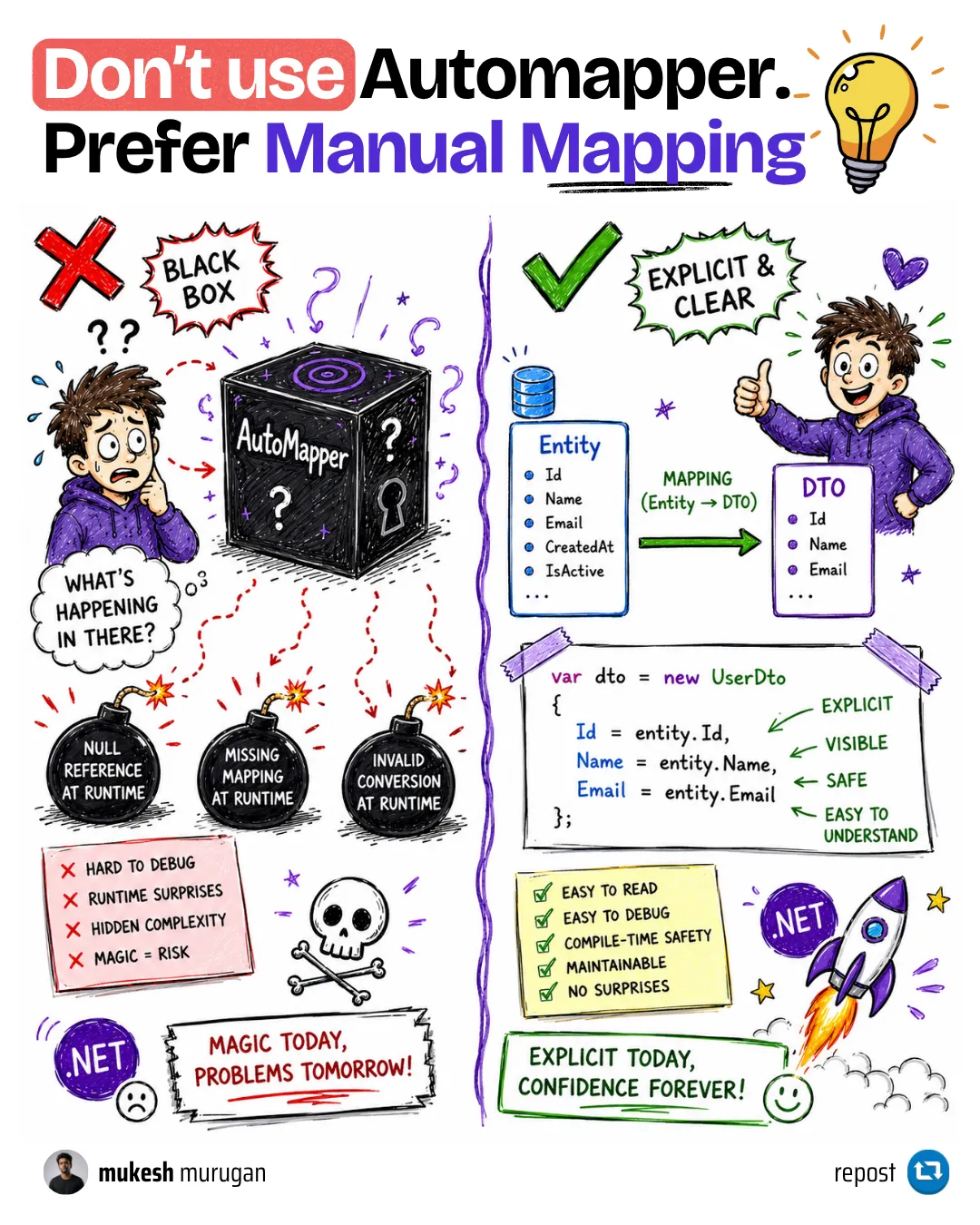
This is the option most articles either ignore or strawman as “hundreds of lines of boilerplate.” With records and extension methods, manual mapping in .NET 10 is shorter than the AutoMapper profile and competitive on speed with the source-generated libraries:
public static class ProductManualMapper{    public static ProductResponse ToResponse(this Product product) => new(        product.Id,        product.Name,        product.Description,        product.Price,        product.StockQuantity,        product.CreatedAt,        product.UpdatedAt,        product.Category.ToResponse(),        product.Tags.ConvertAll(static t => t.ToResponse()));
    public static CategoryResponse ToResponse(this Category category) =>        new(category.Id, category.Name, category.Slug);
    public static TagResponse ToResponse(this Tag tag) =>        new(tag.Id, tag.Label);}
The endpoint:
app.MapGet("/products/manual", () =>{ var product = ProductSeed.Sample(); return product.ToResponse();});That is the whole mapper. No package install, no profile, no startup registration, no source generator, no AOT story to manage. The compiler sees the constructor call inline. The JIT inlines the extension method. Native AOT happily compiles it. A new developer who joins your team and hits F12 on ToResponse lands directly on the code - no Profile lookup, no generated .g.cs, no LINQ expression tree to mentally parse.
The trade is that you write the constructor list yourself, and when you add a new property to ProductResponse, the compiler points at your ToResponse method to update it. I think that is a feature: the compiler is the one place I want a missed mapping to surface, and a record positional constructor makes the failure obvious instead of silent.
Side-by-Side Comparison
Here is how the four options stack up across the criteria that actually matter when picking a mapper in 2026:
| Criterion | AutoMapper 14.0 (MIT) | AutoMapper 15.1+ (Commercial) | Mapster | Mapperly | Manual |
|---|---|---|---|---|---|
| License | MIT | RPL-1.5 + Commercial | MIT | Apache-2.0 | n/a |
| Cost | Free | Free Community < $5M rev or $489+/yr commercial | Free | Free | Free |
| Free tier | n/a | < $5M gross revenue / non-profits / education / non-production | Always | Always | n/a |
| Approach | Runtime reflection | Runtime reflection | Compiled delegates | Source generator | Hand-written |
| Setup per type pair | CreateMap in profile | Same | NewConfig + Compile | partial method | Constructor call |
| Native AOT | ❌ | ❌ | ❌ (runtime mode) / ✅ (Mapster.Tool) | ✅ | ✅ |
| Trim-safe | ❌ | ❌ | ❌ (runtime) | ✅ | ✅ |
EF Core ProjectTo | ✅ | ✅ | ✅ (ProjectToType) | ✅ (queryable projections, with expression-tree limits) | Manual Select(p => new ...) |
| Compile-time errors for missing properties | ❌ | ❌ | ❌ | ✅ | ✅ |
| Debuggability | Profile lookup | Profile lookup | Compiled expression | Readable generated code | Direct |
| Known security advisory | GHSA-rvv3-g6hj-g44x (High, unpatched in 14.x) | Patched in 15.1.1 / 16.1.1 | None | None | n/a |
| Version tested | 14.0.0 | 16.2.0 (current) | 10.0.12 | 4.3.1 | n/a |
| Best for | Existing AutoMapper codebases | Teams that fit Community tier or pay | Teams that want fluent .Adapt<T>() ergonomics | AOT, new .NET 10 services | < 15-20 DTO types, full control |
Two rows in this table do more work than the rest: the Native AOT row and the security advisory row. Together they explain why the .NET community moved this fast in 2025-2026.
The Benchmark - Real Numbers on .NET 10
I ran all four mappers through BenchmarkDotNet 0.15.8 on .NET 10.0.11 against the exact Product -> ProductResponse projection above, using the current stable release of every library: AutoMapper 14.0.0 (last MIT), Mapster 10.0.12, and Riok.Mapperly 4.3.1. The hardware is an Intel Core Ultra 9 275HX laptop running Windows 11, X64 RyuJIT. Source: Mapping.Benchmarks.
The workload is one mapping per invocation: a Product with a nested Category and three Tag items goes in, a ProductResponse comes out. Every mapper is pre-configured and pre-compiled at fixture construction, so what is being measured is the steady-state hot path - the same path your API hits on every request. Manual is the baseline.
| Method | Mean | Error | StdDev | Median | Ratio | Gen0 | Allocated | Alloc Ratio |
|---|---|---|---|---|---|---|---|---|
| Manual | 33.98 ns | 1.079 ns | 3.181 ns | 35.45 ns | 1.01 | 0.0174 | 328 B | 1.00 |
| Mapperly | 30.23 ns | 0.917 ns | 2.704 ns | 31.39 ns | 0.90 | 0.0157 | 296 B | 0.90 |
| Mapster | 67.53 ns | 2.026 ns | 5.973 ns | 70.54 ns | 2.01 | 0.0174 | 328 B | 1.00 |
| AutoMapper | 71.85 ns | 2.163 ns | 6.378 ns | 75.28 ns | 2.13 | 0.0178 | 336 B | 1.02 |
Reproducible in one command:
cd Mapping.Benchmarksdotnet run -c ReleaseThis is a laptop, not a quiet benchmarking rig, so I ran the suite twice. Across both runs Mapperly landed at 0.85-0.90x manual and Mapster at 2.0-2.1x manual. Treat the ratios as the finding and the absolute nanoseconds as specific to this machine. And before anyone calls the Mapperly result noise: BenchmarkDotNet’s Error column is the half-width of the 99.9% confidence interval, so Manual sits in [32.90, 35.06] ns and Mapperly in [29.31, 31.15] ns. Those intervals do not overlap. Three things are worth pulling out:
- Mapperly beats hand-written manual mapping on this workload (30.2 ns vs 34.0 ns) and allocates ~10% less memory per call (296 B vs 328 B). That contradicts the popular wisdom that “you cannot beat a hand-rolled extension method.” The reason is the tag list.
List<T>.ConvertAll(static t => t.ToResponse())allocates a wholeList<TagResponse>- the list object plus its backing array - and invokes a delegate once per element, which the JIT cannot inline through. Mapperly’s generator emits a plain loop that allocates the destination collection once at the right size and inlines the per-item mapping directly. To be precise about what is not happening: thestaticlambda is already allocation-free, because a static lambda cannot capture anything and Roslyn caches the delegate instance in a static field. The 32-byte gap is the extra list wrapper and the indirect calls, not a closure. - Mapster is the result that changed since I first wrote this article, and not in the direction I expected. On Mapster 7.4.0 this same benchmark put it at ~1.29x manual, comfortably ahead of AutoMapper. On 10.0.12 it lands at ~2.0-2.1x manual and is statistically indistinguishable from AutoMapper on this workload (67.5-79.3 ns for Mapster against 71.9-79.1 ns for AutoMapper across my two runs). I have not root-caused it, and I am not going to pretend otherwise - this benchmark passes an explicit
TypeAdapterConfiginstance intoAdapt<T>(), which is one plausible factor worth testing against the global-config path. What I am confident about is the practical conclusion: “Mapster is the fast one” is a stale claim in 2026, and if you are picking Mapster today, pick it for its ergonomics and MIT license, not for the performance reputation it earned three years ago. - AutoMapper is ~2.1x slower than manual (71.9 ns vs 34.0 ns), not the 10-17,000x figure that Medium-style headlines suggest. The 10x and 17,000x numbers come from very specific scenarios (deep object graphs, cold-start without pre-compiled configuration, projection over thousands of objects). On the steady-state hot path that an ASP.NET Core endpoint actually hits, AutoMapper is roughly twice as slow as manual and allocates only ~2% more memory per call.
If your service maps fewer than 1,000 objects per request, this benchmark does not pick a winner for you - the slowest option here (AutoMapper at 71.9 ns) still completes 1,000 mappings in about 72 microseconds. The decision in those cases is about license, AOT compatibility, debuggability, and onboarding cost, not nanoseconds. The benchmark matters when you are mapping large result sets, when the mapping sits inside a hot async loop, or when you are targeting startup-sensitive Native AOT containers.
The Decision Matrix
Here is the decision tree I actually use when picking a mapper for a new .NET 10 service in 2026:
| If… | Then pick |
|---|---|
| You are starting a new .NET 10 service with no strong constraint | Mapperly (fastest, AOT-clean, MIT-friendly) |
| You target Native AOT (serverless, container start-up sensitive, trimming) | Mapperly |
| You have fewer than ~15-20 DTO types and want zero new dependencies | Manual mapping |
| You want the simplest debugging story for a junior team | Manual mapping |
You want fluent runtime configuration with .Adapt<T>(), do not need AOT, and are not chasing raw speed | Mapster |
| You have an existing AutoMapper-heavy codebase and you fit the RPL-1.5 free tier | Stay on AutoMapper 14.0 (and accept the security advisory until you migrate) |
| You have an existing AutoMapper-heavy codebase and you are above the $5M revenue threshold | Pay for AutoMapper 15+ or plan a Mapperly migration |
You need EF Core ProjectTo and your queries are mapping-heavy | AutoMapper (free tier) or Mapster (ProjectToType) |
The two questions I always ask first when someone is choosing a mapper: “Are you targeting Native AOT?” and “Does the existing codebase already use a mapper?” Those two answers eliminate two or three options before raw performance enters the conversation.
Migration Snippets
If you are moving an existing AutoMapper codebase, here is what each migration looks like for the same Product -> ProductResponse mapping.
AutoMapper -> Mapperly
Replace:
public sealed class ProductProfile : Profile{ public ProductProfile() { CreateMap<Product, ProductResponse>(); }}With:
[Mapper]public partial class ProductMapperlyMapper{ public partial ProductResponse ToResponse(Product product);}And swap the injection from IMapper mapper to ProductMapperlyMapper mapper, and the call from mapper.Map<ProductResponse>(product) to mapper.ToResponse(product).
AutoMapper -> Mapster
Replace the Profile with:
TypeAdapterConfig<Product, ProductResponse>.NewConfig();And swap the call to product.Adapt<ProductResponse>(). No injection required.
AutoMapper -> Manual
Replace the Profile with an extension method, then call product.ToResponse(). The endpoint signature loses the IMapper parameter entirely. This is the smallest diff if you are willing to write the constructor list once.
For a 30-DTO project, expect roughly 2-4 hours of mechanical work for the AutoMapper -> Mapperly migration and slightly less for Manual. The endpoint code is usually identical before and after - the only thing that changes is the injected dependency and the mapping call.
Mapping Code When Claude or Copilot Writes It
Mapping is close to the ideal task for an AI agent. It is mechanical, repetitive, high-volume, and the compiler can check the result. A 30-DTO migration is genuinely a job you can hand off. Two things are worth setting up first, because the default behaviour works against you.
Expect the agent to reach for AutoMapper. Ask any current model to “map this entity to a DTO in ASP.NET Core” and there is a good chance you get a Profile class, CreateMap, and an injected IMapper. That is not the model being wrong about 2026 - it is the model reproducing the most common answer across a decade of tutorials, Stack Overflow posts, and sample repos where AutoMapper genuinely was the default. The licence change is roughly a year old. The training corpus is not. Worse, the agent cannot know your company’s revenue, so it has no way to judge whether the free Community tier even applies to you.
The fix is to write the decision into whichever instruction file your tool reads - CLAUDE.md for Claude Code, AGENTS.md, or .github/copilot-instructions.md:
## Object mapping
- Use Mapperly (`Riok.Mapperly`) for all entity-to-DTO mapping.- Declare a `partial` mapper class with `[Mapper]` and `partial` methods per pair.- Do NOT add AutoMapper. It is commercially licensed from v15 and the last  MIT version (14.0.0) carries an unpatched high-severity advisory.- For fewer than 3 DTOs in a feature, write the mapping by hand as a record  constructor call in an extension method instead of adding a mapper.
Pick a mapper whose mistakes are compile errors. This is the argument for Mapperly and manual mapping that I did not appreciate until I started handing this work to agents. If an agent adds a property to ProductResponse and forgets the mapping, manual mapping and Mapperly both fail the build and point at the line. AutoMapper’s convention matching will often just leave the property at its default and return a 200 with a silently null field, which surfaces days later as a bug report. A failing build is the feedback loop that lets an agent notice and fix its own mistake before you ever read the diff.
For Mapperly specifically, set <EmitCompilerGeneratedFiles>true</EmitCompilerGeneratedFiles> and read the emitted .g.cs once per new mapper. It is plain C#. Checking that a nested collection maps the way you expect takes under a minute and catches the class of error where the mapping compiles fine but quietly drops a nested list.
The same problem applies to every library an agent reaches for, not just mappers. AutoMapper is the one you hit first because mapping comes up in every project, but MediatR, MassTransit and FluentAssertions all moved to paid licences in the same window, and an agent will suggest each of them just as confidently. The guardrails that catch this are repo-level and you set them up once.
When to Stay on AutoMapper
I am not allergic to AutoMapper. It still has the most mature ProjectTo<TDestination> integration in .NET, and that is genuinely useful for EF Core queries that need server-side projection. Two scenarios where I would not migrate:
- Existing system with hundreds of
Profileclasses where the team is comfortable with the convention. Migration cost outweighs benefits. Stay on 14.0, accept the advisory, plan a security audit cadence. - Heavy EF Core
ProjectTousage where queries depend on AutoMapper’s expression-tree generation to project at the database level. Mapperly does support queryable projections, and only the fields on the target type get pulled from the database, but because those projections have to compile down to expression trees it drops several features you may already rely on: object factories,ByNameenum mapping, reference handling and deep cloning, and nullable reference type handling. Mapster’sProjectToTypeis closer to a drop-in, though still not identical. If your query layer leans hard onProjectTo, budget real time to test this rather than assuming a one-line swap.
In both cases, the path forward is: stay on the free 14.0 line if you fit the size tier, or pay for v15+. The pricing is real money but it is also not catastrophic for a team that is already shipping. The bigger risk is on greenfield .NET 10 services where you are picking a mapper today - there I would not start a new project on AutoMapper.
The biggest mistake I see in 2026 is teams adding AutoMapper to a brand-new service “because that is what we have always used.” The reasons that justified that choice in 2018 - mature library, no real competition, free forever - are no longer all true. The benchmark in this article is also a useful corrective in the other direction: “AutoMapper is 10x slower” is not true on the hot path either. Pick the mapper that fits your 2026 constraints (license, AOT, DTO count, debuggability) - not the SERP-headline performance number, and not your 2018 muscle memory.
Key Takeaways
- AutoMapper 14.0.0 (released Feb 14, 2025) is the last MIT-licensed version; 16.2.0 is the current commercial release. Security advisory GHSA-rvv3-g6hj-g44x / CVE-2026-32933 (High, CVSS 7.5) affects all AutoMapper versions earlier than 15.1.1 - a DoS via unbounded recursion. The fix shipped in commercial 15.1.1 and 16.1.1 and was never backported to 14.x, so restoring the free version now raises an
NU1903build warning. - AutoMapper 15.1+ uses a dual RPL-1.5 + commercial license. The free Community tier covers organizations with under $5M gross annual revenue, non-profits under $5M annual budget, educational use, and non-production environments. Commercial pricing for everyone else starts around $489/year for the smallest team tier (Standard, 1-10 developers).
- Mapperly 4.3.1 is the fastest option on .NET 10 in this benchmark - ~10-15% faster than hand-written manual mapping (30.2 ns vs 34.0 ns) and ~10% lower allocations. It is also fully Native AOT-compatible and trim-safe. A 5.0 line is in prerelease.
- Mapster’s performance reputation is out of date. On 7.4.0 it benchmarked at ~1.29x manual. On the current 10.0.12 release it lands at ~2.0-2.1x manual, statistically level with AutoMapper on this workload. It is still MIT-licensed and still pleasant to use, but speed is no longer the reason to pick it. It is AOT-clean only with the separate
Mapster.Toolsource generator. - AutoMapper is ~2.1x slower than manual on the hot path (71.9 ns) - significantly less dramatic than the “10x slower” headlines suggest. The real reasons to migrate are the security advisory, the commercial license, and the lack of Native AOT support.
- If an AI agent writes your mapping code, pin the mapper choice in your repo instruction file and turn
NU1903into a build error. Agents default to AutoMapper because that is what a decade of training data says, and they cannot know your licensing situation. - For new .NET 10 APIs in 2026, the decision tree is: AOT or new project -> Mapperly; fewer than ~20 DTOs and zero dependencies -> Manual; existing codebase that fits the tier -> stay on AutoMapper 14 and plan migration.
Frequently Asked Questions
Is AutoMapper still free in 2026?
AutoMapper versions up to and including 14.0.0 remain MIT-licensed and free for any use. AutoMapper 15.1 and later are dual-licensed under the Reciprocal Public License 1.5 (RPL-1.5) and a Lucky Penny Software commercial license. RPL-1.5 is open-source but reciprocal, which is incompatible with most commercial software. Lucky Penny also offers a free Community license for organizations with under 5 million US dollars in gross annual revenue, non-profits under 5 million in annual budget, educational use, and non-production environments. Commercial licenses for teams above that threshold start around 489 US dollars per year for the smallest tier.
Is Mapster faster than AutoMapper?
Not on current versions. That was true on the Mapster 7.x line, and most articles online still say it. On Mapster 10.0.12 and AutoMapper 14.0.0, running a Product to ProductResponse projection with a nested Category and a three-item Tag list on BenchmarkDotNet 0.15.8 and .NET 10.0.11, the two were statistically level: Mapster at 67.5 nanoseconds per call against AutoMapper at 71.9 nanoseconds, both roughly twice the cost of hand-written manual mapping. On the older Mapster 7.4.0 the same benchmark put Mapster at 50.4 nanoseconds. If speed is your deciding factor in 2026, Mapperly and manual mapping are the two options worth measuring, not Mapster.
Does AutoMapper work with Native AOT in .NET 10?
No, not without significant manual work. AutoMapper relies on runtime reflection and dynamic expression building, which the trimmer and AOT compiler cannot statically analyze. Publishing an app with PublishAot equals true and AutoMapper in the dependency graph will produce trim and AOT warnings, and the app may fail at runtime when mapping. For AOT-targeted services in .NET 10, Mapperly or manual mapping are the safe choices.
When should I use manual mapping over AutoMapper?
Use manual mapping when you have fewer than roughly fifteen to twenty DTO types, when each DTO has bespoke shaping rules, when you need Native AOT, or when you want zero new dependencies in a service. Manual mapping with records and extension methods is the second fastest option on .NET 10 behind Mapperly, the easiest to debug, and the most onboarding-friendly because a new developer can read the entire mapping in one place.
What is the best alternative to AutoMapper in .NET 10?
Mapperly is the strongest single replacement for AutoMapper in .NET 10. It is a pure C# source generator, emits no runtime reflection, supports Native AOT and trimming, and in the BenchmarkDotNet run in this article it was about 10 to 15 percent faster than hand-written manual mapping at 30.2 nanoseconds per call. For services with fewer than twenty DTO types, manual mapping with records and extension methods is often the best alternative. Mapster remains an option if you specifically want its fluent runtime configuration, but on the current 10.x line it no longer offers a performance advantage over AutoMapper.
How much does the AutoMapper commercial license cost?
Public pricing for AutoMapper 16.x has shown the smallest commercial tier starting around 489 US dollars per year, sold through ComponentSource and direct from Lucky Penny Software. Pricing is tier-based on developer count and sold as an annual subscription. Organizations under 5 million US dollars in gross annual revenue can use the free Community license instead. Custom pricing for larger teams is available through Lucky Penny Software directly.
Can I keep using older AutoMapper versions for free?
Yes. AutoMapper 14.0.0 and earlier remain under the original MIT license and can be used freely with no time limit. The catch is that all AutoMapper versions earlier than 15.1.1 are affected by a High severity security advisory tracked as GHSA-rvv3-g6hj-g44x and CVE-2026-32933 - a denial-of-service vulnerability via unbounded recursion. The fix shipped in 15.1.1 and 16.1.1, both commercial-licensed, and was never backported to the 14.x line. Because the advisory is published to the NuGet vulnerability database, restoring AutoMapper 14.0.0 now produces an NU1903 high severity vulnerability warning, which will fail any build that treats warnings as errors.
Is Mapster the same as Mapperly?
No, they are different libraries with different approaches. Mapster compiles mapping delegates at runtime using System.Linq.Expressions.Compile and runs them on each call. Mapperly is a Roslyn source generator that emits plain C# mapping code at compile time and uses no runtime reflection. Mapperly is Native AOT-compatible by default; Mapster's default runtime mode is not. The separate Mapster.Tool package is a source-generator alternative for Mapster but is not the default.
Wrapping Up
Object mapping in .NET 10 is no longer a one-library default. AutoMapper served the community well for over a decade, but the combination of the 2025 commercial license, the unpatched security advisory on the last free version, and the .NET platform’s move toward Native AOT means new services in 2026 deserve a fresh look at every option. Mapperly’s source-generator approach edges out hand-written code on performance, manual mapping wins under small DTO counts, and Mapster is worth picking for its ergonomics rather than the speed reputation it carried on the 7.x line.
The wider lesson from re-running this benchmark is worth keeping: performance claims about libraries go stale quietly. Mapster did not announce that it got slower, and nothing in its API changed. The only way I found out was by bumping the package and running the numbers again. If a library choice in your codebase rests on a benchmark you read once, it is worth re-checking on the version you actually ship.
The full runnable code, including the BenchmarkDotNet project that produced the numbers in this article, is at github.com/codewithmukesh/dotnet-webapi-zero-to-hero-course. The Mapping.Api sample exposes one endpoint per mapper - /products/automapper, /products/mapster, /products/mapperly, /products/manual - all returning identical JSON. Clone it, run dotnet run -c Release, and reproduce the benchmarks on your own hardware.
If you found this helpful, share it with your colleagues - and if there is a mapping scenario you would like me to cover next (EF Core ProjectTo deep-dive, AOT migration, or the source-generator internals), drop a comment and let me know.
Build Your Own CQRS Dispatcher in .NET 10 (No MediatR)
The same post-commercial playbook applied to MediatR - build a custom dispatcher with pipeline behaviors and AOT support.
CQRS and MediatR in ASP.NET Core
Where DTOs and mapping land in a CQRS architecture - command and query responses.
ASP.NET Core 10 Web API CRUD with EF Core
Build the full Product API with DTOs and EF Core 10 - the exact shape this article maps between.
Pagination, Sorting & Searching in ASP.NET Core Web API
The next place DTOs show up - paginated responses with metadata.
FluentValidation in ASP.NET Core
The validation half of the DTO story - pair this with whatever mapper you pick.
Global Exception Handling in ASP.NET Core
ProblemDetails responses are DTOs too - the same mapping decisions apply.
Minimal APIs in ASP.NET Core
The endpoint style every example in this article uses.
HybridCache in ASP.NET Core
When DTOs become cache values - choose a mapper that does not allocate on the hot path.
Containerize .NET Apps Without a Dockerfile
The Native AOT story that makes Mapperly and manual mapping the right choice for container-first services.
Happy Coding :)




What's your take?
Push back, share a war story, or ask the obvious question someone else is wondering. I read every comment.